Couch to 5K with Garmin: Complete Beginner Guide
Starting a running journey with a Garmin watch on your wrist is exciting, but the sheer amount of data these watches produce can overwhelm a new runner. Heart rate variability, Training Status, VO2 max, Body Battery, cadence, ground contact time, vertical oscillation. The list goes on. Most of it does not matter when you are running your first 5K.
This guide strips everything back to basics. We cover how to set up your Garmin for a Couch to 5K program, which walk/run intervals to follow, what heart rate zones mean for beginners, and critically, which metrics to completely ignore for now. The goal is simple: get you from zero to running 5K without injury and without drowning in data.
If you have already been running for a while and want to level up your Garmin use, our Garmin training plans guide covers structured plans for 10K, half marathon, and marathon.
Setting Up Your Garmin for Your First 5K
Choose the Right Watch
Any current Garmin running watch works for Couch to 5K. If you are shopping, the Forerunner 165 offers the best value for beginners with an AMOLED display, GPS, and all necessary training features at the lowest price point. Our best Garmin running watch guide breaks down every model if you want a full comparison.
Initial Setup Steps
- Charge your watch fully
- Download the Garmin Connect app on your phone
- Pair the watch via Bluetooth
- Set up your profile (age, weight, height, activity level)
- Wear the watch for 2 to 3 days before your first run so it establishes baseline data
- Set your heart rate zones (instructions below)
Simplify Your Data Screen
Before your first run, simplify what you see on the watch. Go to activity settings for “Run” and set your data screen to show only:
- Elapsed time
- Heart rate or heart rate zone
- Distance
Three fields. That is it. You do not need pace, cadence, elevation, power, or any other metric right now. These three fields tell you everything a beginner needs: how long you have been going, how hard your body is working, and how far you have gone. For a deeper look at data field strategy as you progress, see our best running watch data fields guide.
The Walk/Run Method Explained
Walk/run intervals are the safest and most effective way to build running fitness from scratch. Instead of running until exhaustion and then stopping, you alternate between running and walking in structured intervals. This manages fatigue, reduces injury risk, and keeps the experience enjoyable.
Week by Week Progression
Here is a progressive 8 week Couch to 5K structure:
Week 1: Run 1 minute, walk 2 minutes. Repeat 8 times. Total: 24 minutes.
Week 2: Run 2 minutes, walk 2 minutes. Repeat 6 times. Total: 24 minutes.
Week 3: Run 3 minutes, walk 1.5 minutes. Repeat 5 to 6 times. Total: 22 to 27 minutes.
Week 4: Run 4 minutes, walk 1 minute. Repeat 5 times. Total: 25 minutes.
Week 5: Run 5 minutes, walk 1 minute. Repeat 4 to 5 times. Total: 24 to 30 minutes.
Week 6: Run 8 minutes, walk 1 minute. Repeat 3 times. Total: 27 minutes.
Week 7: Run 12 minutes, walk 1 minute. Repeat 2 times, then run 5 minutes. Total: 31 minutes.
Week 8: Run 30 minutes continuously. Congratulations, you can run a 5K.
Programming Walk/Run on Your Garmin
You can program these intervals directly into your Garmin watch:
- Open Garmin Connect app
- Go to Training, then Workouts
- Tap “Create Workout”
- Choose “Run”
- Add a “Run” step with your work duration
- Add a “Walk” or “Recover” step with your rest duration
- Set the number of repetitions
- Add a cooldown step
- Save and sync to your watch
When you start the workout on your watch, it vibrates at each transition between run and walk. You do not need to watch the clock or count intervals. The watch handles all of it.
Alternatively, Garmin Coach offers a 5K plan with Jeff Galloway that uses run/walk intervals automatically. This is the easiest option because it adapts to your progress and handles all the programming for you.
Heart Rate Zones for Beginners
Your Garmin divides your heart rate into five zones. For a Couch to 5K beginner, only two zones matter:
Zone 2 (Easy): This is where all your running should happen. In Zone 2, you can breathe through your nose or hold a short conversation. It feels easy, almost too easy. This is correct. Zone 2 builds your aerobic engine without creating excessive fatigue or injury risk.
Zone 3 (Moderate): During your running intervals, your heart rate may climb into Zone 3, especially in early weeks when fitness is low. This is acceptable but try to keep most of your time in Zone 2 as fitness improves.
The Talk Test
If your Garmin shows a heart rate zone above 3 during easy running, you are going too fast. Slow down. If you cannot slow down enough while running, walk. There is no shame in walking. The goal is time on your feet at low intensity, not speed.
Many new runners feel embarrassed running slowly. This is misplaced. Professional runners spend 80 percent of their training in Zone 2. You are not doing it wrong by going slow. You are doing it exactly right.
Setting Accurate Zones
Garmin estimates your heart rate zones based on age. These defaults are often inaccurate. If possible, do this simple field test after two weeks of run/walking:
- Warm up with 10 minutes of easy walking and jogging
- Run as hard as you can sustain for 3 minutes (all out effort)
- Note your peak heart rate during those 3 minutes
- Use 95 percent of that peak as your estimated max heart rate
- Update your zones in Garmin Connect under User Settings
This gives you more accurate zones than the 220 minus age formula that Garmin uses as default.
What Metrics to Ignore as a Beginner
This is possibly the most important section of this guide. Garmin watches produce dozens of metrics. Most of them are irrelevant, confusing, or actively harmful for a new runner to focus on.
Ignore: Pace
Yes, ignore pace. Your pace does not matter during Couch to 5K. Running faster does not make you fitter faster. It makes you injured faster. Run by heart rate and time. Pace will improve naturally as your aerobic fitness develops over weeks and months.
Ignore: VO2 Max
Garmin will estimate your VO2 max early on. The number will be low and possibly inaccurate because the algorithm needs consistent data over weeks to calibrate. Do not compare it to anyone else’s number. Do not feel bad about it. It will improve as you train.
Ignore: Training Status
Training Status needs several weeks of consistent data to provide meaningful feedback. In your first month, it may say “Unproductive” or “Detraining” simply because it does not have enough history. Ignore it completely until you have been running consistently for six to eight weeks.
Ignore: Cadence
Step rate does not matter for beginners. Your cadence will naturally improve as you run more. Trying to hit a target cadence (like the often cited 180 steps per minute) before you can run 30 minutes continuously is putting the cart before the horse.
Ignore: Running Power
Running power is an advanced metric that means nothing to someone running their first 5K. You will never need it unless you progress to competitive racing on hilly terrain.
Ignore: Ground Contact Time and Vertical Oscillation
These running dynamics metrics relate to form efficiency. They are interesting for experienced runners optimizing performance. For beginners, they are noise. Your form will improve naturally with consistent running.
What Metrics to Pay Attention To
Heart Rate Zone
This is your guide for effort. Stay in Zone 2 during running intervals. If you drift into Zone 4 or 5, walk until it drops back down.
Elapsed Time
Time tells you if you are following the walk/run structure correctly. Did you run for the full 3 minutes? Did you walk for the full 1 minute rest? Time keeps you honest.
Weekly Running Time
In Garmin Connect, track your total weekly running time (not distance). Aim for gradual increases: 60 minutes in week one, building toward 90 to 100 minutes by week eight. This is a better progress metric than distance or pace for beginners.
Body Battery
Body Battery is useful even for beginners because it tells you whether your body has recovered enough to run today. If your morning Body Battery is below 30, consider a rest day. New runners are especially prone to doing too much too soon, and Body Battery provides an objective check on recovery.
Resting Heart Rate Trend
Watch your resting heart rate in Garmin Connect over weeks. As fitness improves, resting heart rate typically drops. Seeing this number decrease from week one to week eight is one of the most rewarding signs of progress.
Common Beginner Mistakes
Running Too Fast
The number one mistake. If you are gasping after 2 minutes of running, you are going too fast. Slow down dramatically. Your running pace should feel only slightly harder than a brisk walk. Speed comes later. Much later.
Running Every Day
Rest days are when fitness actually builds. Your body adapts to training stress during recovery, not during the runs themselves. Run three to four days per week maximum during Couch to 5K. Never run two days in a row during your first month.
Increasing Too Quickly
Follow the week by week progression even if it feels too easy in early weeks. The structure is designed to give your bones, tendons, and joints time to adapt. These tissues strengthen more slowly than your cardiovascular system. Jumping ahead risks stress fractures and tendon injuries.
Comparing to Others
Your pace, distance, and heart rate are unique to you. Comparing your Zone 2 pace to someone who has been running for years is meaningless and demoralizing. Run your own race, literally.
Skipping the Walk Intervals
Walking intervals are not a sign of weakness. They are a training tool used by Olympic marathon runners (Jeff Galloway coached Olympic athletes using run/walk). Take the full walk break. Your body needs it.
Gear for Your First 5K
Beyond your Garmin watch, keep gear minimal:
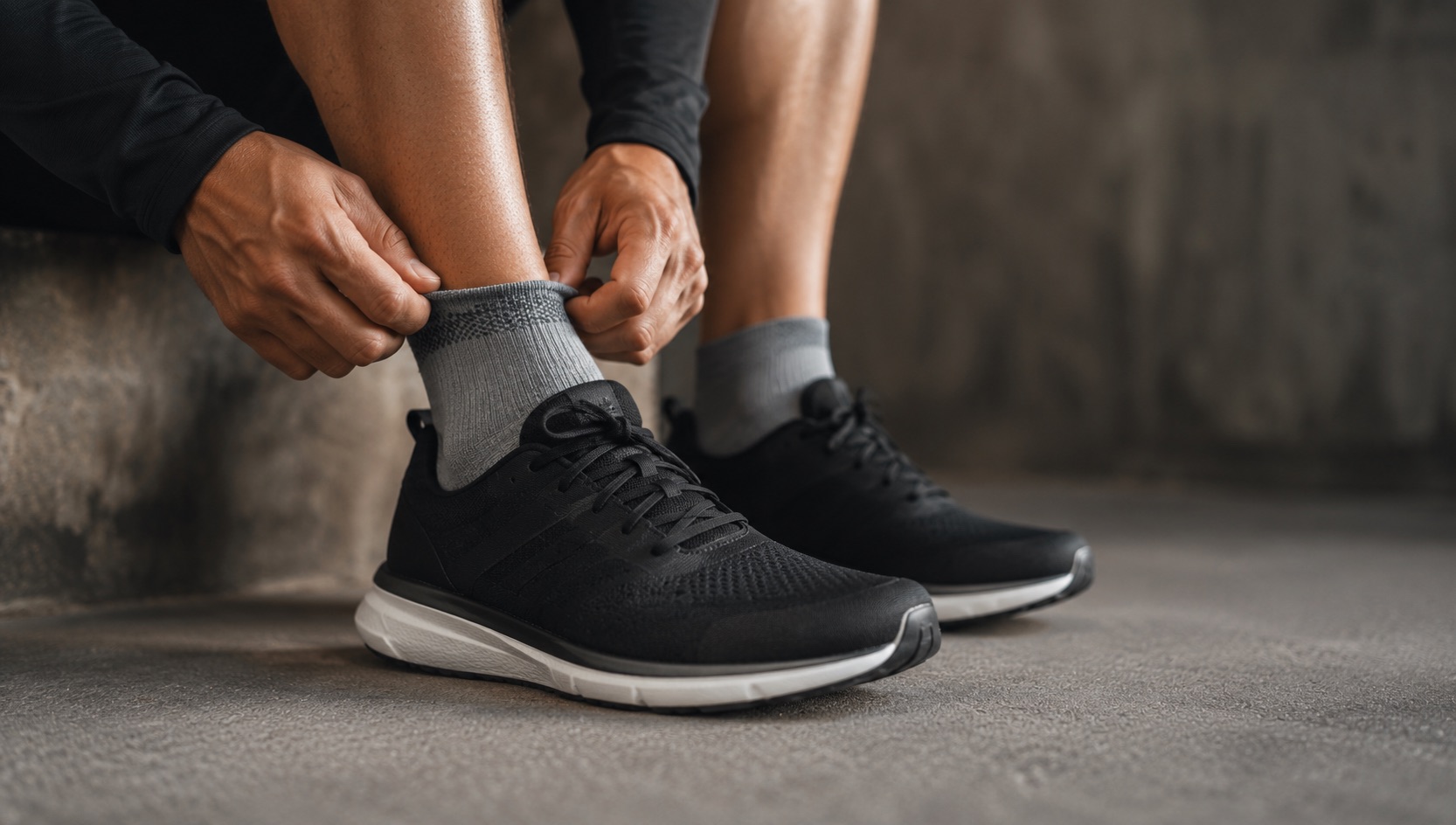
Running shoes: Visit a running store for a gait analysis and proper fit. Do not buy based on appearance or brand loyalty. The right shoe prevents injury. Our guide to daily training shoes covers popular options, but for your first pair, in store fitting is best.
Clothing: Anything moisture wicking and comfortable. Avoid cotton, which holds sweat and causes chafing. Running specific socks make a bigger difference than most people expect.
Phone: Optional. Your Garmin tracks everything without your phone. If you enjoy running with music, bring it or use a Garmin watch with music storage. Otherwise, leave it at home and enjoy the quiet.
Using Garmin Coach for Couch to 5K
The easiest path from couch to 5K with a Garmin watch is using Garmin Coach with Jeff Galloway’s plan. Here is why:
- The plan uses run/walk intervals automatically
- It adapts to your actual fitness level
- Workouts are programmed on your watch with guided pacing
- The plan adjusts if you miss sessions
- It is completely free
To set it up:
- Open Garmin Connect
- Go to Training and Planning
- Select Garmin Coach
- Choose 5K as your distance
- Select Jeff Galloway as your coach
- Set your target (choose “Just Finish” for your first 5K)
- Enter your target race date (8 to 12 weeks out)
- Select your available training days (3 to 4 per week)
The plan syncs to your watch immediately and your first workout will appear within 24 hours.
FAQ
How long does Couch to 5K take?
Most programs take 8 to 12 weeks. Some runners progress faster, others need longer. There is no deadline. If a week feels too hard, repeat it before moving on. Finishing healthy matters more than finishing fast.
Can I run a 5K even if I cannot run continuously yet?
Absolutely. Many 5K events welcome walkers and run/walkers. You do not need to run the entire distance without stopping. Finishing a 5K with walk breaks is still finishing a 5K.
What pace should I run during Couch to 5K?
Whatever pace keeps your heart rate in Zone 2. For most beginners, this is 11 to 14 minutes per mile (7 to 9 minutes per kilometer). It will feel slow. That is correct. Pace improves naturally over months of consistent training.
Do I need a Garmin watch for Couch to 5K?
No, but it helps significantly. The structured workout guidance, heart rate monitoring, and interval timing remove guesswork and keep you at appropriate intensity. Any Garmin Forerunner model works well. The Forerunner 165 is the best value option for beginners.
Should I run on a treadmill or outside?
Either works. Outside provides fresh air, varied terrain, and vitamin D. Treadmills offer controlled conditions, cushioned surfaces, and no weather concerns. Many beginners alternate between both. Your Garmin tracks indoor runs using its accelerometer, though GPS distance tracking only works outdoors.
When should I start paying attention to pace?
After you can run 30 minutes continuously without walking. At that point, you have established enough aerobic base that pace becomes a meaningful training tool. Until then, time and heart rate are your primary guides.
How do I prevent injuries during Couch to 5K?
Follow the progression schedule without skipping ahead. Take rest days. Run at easy effort (Zone 2 heart rate). Replace running shoes every 300 to 500 miles. Stop running if you feel sharp pain (dull muscle soreness after runs is normal). Stretch or do mobility work on rest days.
Your First Run
Here is your exact checklist for run number one:
- Charge your Garmin
- Set your data screen to: time, heart rate zone, distance
- Put on running shoes and comfortable clothes
- Open the Run activity on your watch
- Wait for GPS lock (green indicator)
- Start your programmed workout (or manually time 1 minute run, 2 minute walk intervals)
- Run slowly. Then run even slower than that.
- Follow the walk/run structure for 24 minutes
- Cool down with 5 minutes of walking
- Save the activity
That is it. You just completed your first training run. Check Garmin Connect afterward to see your data, then forget about it until your next scheduled run day. Consistency over weeks and months is what builds fitness, not any single workout.
Welcome to running. It gets better from here.